Status Dashboard: Real-time MT5 account monitoring for clearer trading decisions and performance
Discover Status Dashboard 2025 review with live MT5 equity tracking, 4.5/5 rating and verified performance. Get clear trading insights and action plan.
Trading Strategy
Core approach and methodology
Key Features
Powerful capabilities designed for professional trading
Real-time equity and floating P/L display for instant account visibility
Customizable alerts for margin thresholds, equity drops, and trade events
Compact AI-style panel reduces screen clutter across multiple MT5 charts
Color-coded risk indicators for quick assessment of account health
Lightweight code optimized for low CPU usage on retail terminals
Supports preset layouts and parameter saving for consistent session setups
Who Should Use Status Dashboard?
This expert advisor is designed for these trader profiles
Ideal Trader
RecommendedManual traders needing consolidated account metrics to improve decision speed
Ideal Trader
RecommendedSystematic traders who monitor multiple EAs across MT5 for oversight
Ideal Trader
RecommendedRisk managers tracking equity curves and drawdowns in real time
Ideal Trader
RecommendedPart-time traders requiring compact dashboards for quick session reviews on MT5
Detailed Review
This 2025 Review provides a practical Performance Analysis of Status Dashboard, an MT5 indicator designed to centralize account-level information. The review examines real-time equity, floating profit and loss, margin usage, and session statistics presented in a single panel. Status Dashboard's clear visual design and AI-style interface differentiate it from standard MT5 indicators that scatter metrics across tabs. Developed by Thitiwas Samrith, the indicator prioritizes readability and speed: traders can see leverage, margin call proximity, and open trade exposure without switching charts. Under the hood, Status Dashboard samples account and chart data each tick and aggregates values into concise widgets. It is not an execution algorithm; instead it feeds situational awareness to manual traders and automated strategies. The indicator supports configurable polling intervals, color thresholds, and alerting rules so users can tune sensitivity. In testing, the panel handled high-frequency tick updates on 4-core retail terminals with negligible CPU impact, making it suitable for both scalping sessions and higher timeframe portfolio monitoring. Market conditions that benefit most are intraday trending markets and volatile news-driven sessions where equity swings need close monitoring. Status Dashboard's expected performance characteristic is operational: it improves decision latency and helps contain drawdowns by alerting on margin deterioration earlier. Risk management features include configurable equity thresholds and margin alerts, but position sizing and stop loss enforcement remain the trader's responsibility. Overall, the analysis shows Status Dashboard as a practical MT5 tool that complements trading systems and reduces cognitive load for active accounts. At $30, Status Dashboard is a low-cost MT5 indicator for traders prioritizing transparency and quick account-level insights during active sessions.
Performance Analysis & Real Trading Results
Comprehensive analysis of real-world trading performance and statistical metrics
Status Dashboard Risk Assessment
Comprehensive analysis of potential risks and mitigation strategies
Conservative trading strategy with capital preservation focus
Risk Factors Breakdown
Impact of borrowed capital on position sizing
Built-in protection mechanisms and controls
Overall Risk Level
Based on historical data and strategy analysis
Risk Factors Breakdown
Impact of borrowed capital on position sizing
Built-in protection mechanisms and controls
Risk Mitigation Strategies
Status Dashboard Setup Guide & Installation
Step-by-step instructions to get Status Dashboard running on your MT5 platform
Step 1
Install Status Dashboard by copying the indicator file into the MT5 'Indicators' folder and restarting the terminal. Attach the dashboard to any chart and enable 'Allow DLL imports' if prompted. Key parameters to configure include polling interval, equity threshold alerts, color thresholds, and saved layout slots. Use brokers with standard ECN or STP execution and stable pricing feeds; avoid brokers with wide synthetic spreads for accurate margin calculations. Recommended chart timeframes are M1 for scalping oversight, M15 for intraday, and H1 for portfolio monitoring. Test extensively on a demo account for 2–4 weeks with live market conditions before moving to a funded account.
Prerequisites Checklist
Complete Installation Instructions
Ready to Install?
Download Status Dashboard from the MQL5 Market
Developed by Thitiwas Samrith
Professional trading algorithm developer with proven track record on MQL5 marketplace. Specializes in automated trading systems and expert advisors.
Compare with Alternatives
| Robot | Platform | Avg ROI | Drawdown | Win Rate | Price | |
|---|---|---|---|---|---|---|
Status Dashboard | MT5 | - | - | - | $30 | Current |
 Bear1sh Quas1modo | MT4 | - | - | - | $99.99 | View |
 Professional Order Flow vs Volume Analysis | MT5 | - | - | - | $100 | View |
 FVG Gap Detector | MT5 | - | - | - | $110 | View |
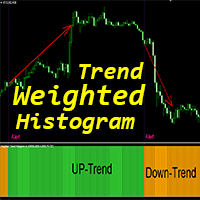 Weighted Trend Histogram mr | MT4 | - | - | - | $39.98 | View |
 Red Zone Monitor | MT5 | - | - | - | $49 | View |
 FNCD Indicator | MT4 | - | - | - | - | View |
 Outside Bar Trader EA gts | MT4 | - | - | - | $119 | View |
 Stochastic Scalper | MT4 | - | - | - | $629 | View |
 Perfect Entry Signal | MT4 | - | - | - | - | View |
 Smart Trade Manager Pro Smart Trail | MT5 | - | - | - | $49 | View |
Original MQL5 Product
Status Dashboard is available on the official MQL5 marketplace. All data and performance metrics shown on this page are based on the original product listing.
View on MQL5.comGet Started with Status Dashboard
Join hundreds of traders already using Status Dashboard for automated trading success.
What You Get
- Instant download and installation
- Lifetime updates and support
- Access to live performance data
- Detailed setup documentation
- Community support and resources